The most advanced AI deblur online.
Professional-grade blur removal with advanced AI models designed for motion blur, out-of-focus images, and camera shake. Restore clarity to your blurriest photos with no quality loss.

See it in action.
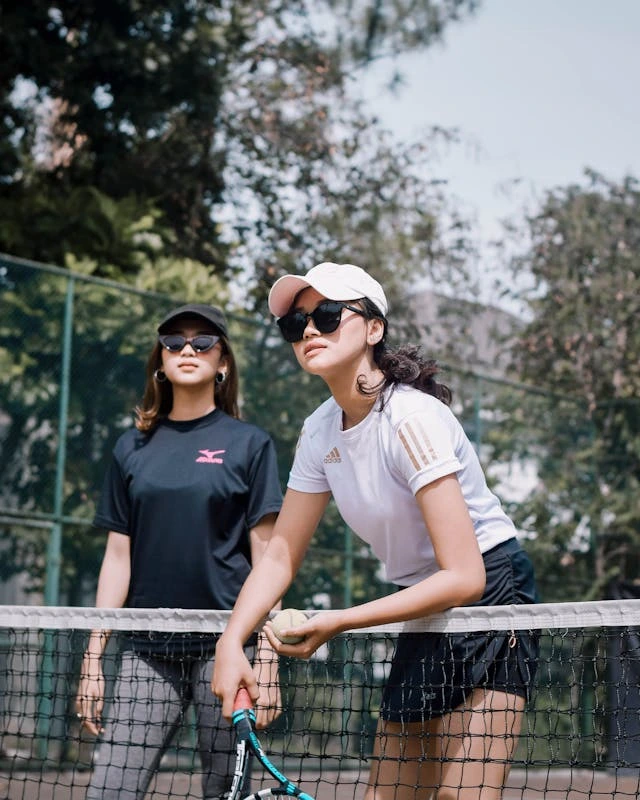
"The deblur results exceeded all expectations — photos I thought were ruined are now perfectly sharp. Game-changer for my photography workflow."
Beyond sharpening. True deblur.
While others apply simple sharpening filters, we restore original clarity. Our advanced AI models analyze blur patterns and reconstruct missing detail — handling motion blur, camera shake, and out-of-focus images that simple tools can't fix.
Built for professionals. Perfect for everyone.
From rescuing crucial surveillance footage to fixing family photos with camera shake — our web-based tool delivers results that rival expensive desktop software. No installation, no limits, just professional clarity in your browser.

Ready to restore clarity?
Upload a blurry photo and experience AI-powered deblur. No sign-up required.
Specialized AI models. Every blur type covered.
The right AI for every blur pattern. Our diverse model lineup handles everything from slight camera shake to severe motion blur — precision that no competitor offers.
Focus Fix
Corrects focus issues and soft images with precision edge detection. Perfect for macro shots, portraits, and photos where the autofocus missed its target.
Motion Pro
Advanced motion blur correction with directional analysis. Handles camera shake, subject movement, and handheld photography blur with remarkable precision.
Extreme Recovery
Breakthrough technology for extremely blurry images. Reconstructs detail from heavily damaged photos, surveillance footage, and images others consider unsalvageable — our most powerful model.
Unmatched deblur capabilities. Unbeatable results.
Professional features that put us ahead of the competition — all accessible through your web browser.
Advanced Motion Analysis
Intelligent blur pattern detection that identifies motion direction, shake amplitude, and focus depth. Our AI understands your image's unique blur signature.
Bulk Processing (10 Images)
Process up to 10 images simultaneously. Perfect for photographers, security professionals, and anyone with multiple blurry photos to restore.
Face-Aware Enhancement
Automatic face detection with specialized deblur algorithms. Prioritizes facial features for natural-looking results that preserve skin texture and expression.
Edge Preservation
Advanced edge detection that maintains natural boundaries while removing blur. No artificial sharpening artifacts — just restored original clarity.
Multi-Format Download
Download in PNG, JPEG or WebP. Choose lossy or lossless compression, adjust quality settings, and get the perfect format for your workflow.
Persistent Storage for Users
Logged-in users keep their deblurred images safely stored. Pick up where you left off, re-download previous work, and build a library of your restored photos.
No File Size Limits
Upload images of any size — from small thumbnails to massive professional files. Our infrastructure handles what others can't.
Multiple Blur Types
Handle motion blur, camera shake, out-of-focus shots, and depth-of-field issues. Our models are trained on every blur scenario you'll encounter.
Blazingly Fast Processing
Experience rapid results with our optimized AI models. Most images process in under 15 seconds, even complex motion blur cases, ensuring you get sharp results without the wait.
For every type of blur.
From accidental camera shake to intentional motion — deblur technology solves real problems.
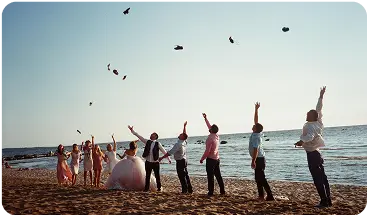
Photography
Rescue handheld shots in low light, fix autofocus misses, or restore sharpness to family photos with camera shake.
Professional photographers use AI deblur to salvage critical shots from weddings, events, and portraits where camera shake or motion blur occurred.
Sports & Action
Freeze action shots and restore clarity to high-speed photography where motion blur affected key moments.
Sports photographers and action specialists use deblur to recover shots where camera settings couldn't quite freeze the action, preserving crucial game moments.
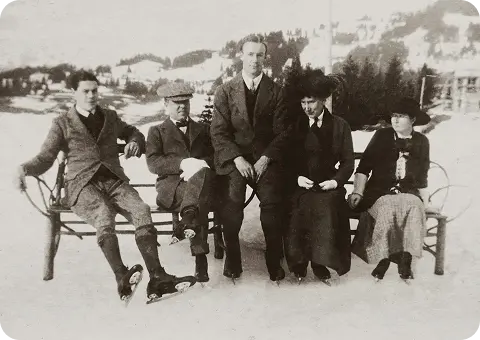
Historical Restoration
Restore clarity to old photographs affected by age, handling, or poor storage conditions that created blur-like degradation.
Archivists and historians use deblur technology to restore vintage photographs and documents, recovering detail lost to time and environmental damage.
Professional results. Simple process.
No software installation, no learning curve. Professional deblur in your browser with just three clicks.
Upload (Bulk Supported)
Drag up to 10 images at once. Any format, any size — no limits. Web-based means no software installation required.
Analyze & Deblur
Choose from 3 specialized AI models designed for different blur types. Our algorithms analyze your image and apply the perfect deblur treatment.
Download Crystal Clear
Get your sharp, restored images in PNG, JPEG, or WebP. Adjust quality settings and choose the perfect format for your needs.
Trusted by photographers and professionals worldwide.
Marcus L.
Saved my wedding shots
"Had camera shake on several key moments during a wedding reception. This tool recovered every single shot — the couple never knew there was an issue. Absolutely incredible."
Sarah K.
Enhanced surveillance footage
"We use this for forensic analysis of blurry security footage. The motion blur correction is remarkable — we can now identify faces and license plates we couldn't see before."
David R.
Action shots crystal clear
"Shooting fast-moving sports means occasional motion blur. This AI recovers those crucial game-winning moments that would otherwise be unusable. It's part of my workflow now."
Frequently Asked Questions
Our AI models handle motion blur (camera shake, subject movement), out-of-focus blur (missed autofocus, depth issues), and general image softness. We cover virtually every blur scenario you'll encounter.
Use Focus Fix for out-of-focus and soft images, Motion Pro for camera shake and movement blur, and Extreme Recovery for severely blurred or damaged photos that need reconstruction.
Traditional sharpening just enhances edges, which can create artifacts. Our AI models analyze blur patterns and reconstruct the original sharp image, recovering lost detail rather than creating artificial sharpness.
We accept PNG, JPEG, WebP, TIFF, BMP, and RAW files for input. Download your results in PNG, JPEG, or WebP with customizable quality settings.
No file size limits — upload images of any size, from small phone photos to massive professional files. Our infrastructure handles what others can't.
For guests, images are processed and deleted immediately. Logged-in users can choose to save their deblurred images for later access — perfect for building a library of your restored photos.
Yes! Upload up to 10 images simultaneously for bulk processing. Perfect for photographers, security professionals, and anyone working with multiple blurry images.
Processing speed depends on image complexity and blur severity. Most images process in 10-15 seconds. Bulk processing handles all images simultaneously, so 10 images take roughly the same time as one.
While our AI is highly advanced, extremely severe blur or complete lack of detail cannot be fully recovered. However, we handle blur cases that other tools consider impossible — try the Extreme Recovery model for the toughest cases.
Ready to restore clarity?
Upload a blurry photo and experience AI-powered deblur. No sign-up required.
Built for
Process every new product the moment it's uploaded
Connect your store, PIM or supplier feed and cut out, upscale and convert product photos automatically, with a few lines of code.
Cut-outs on demand
Send a product photo and get back a transparent PNG, ready for white backgrounds and marketplace images.
Lifestyle scenes too
AI edits put products into new scenes; upscaling, image extension and format conversion use the same API key.
Your keys, working examples
Create API keys in your dashboard and copy ready-to-run code for every endpoint.
const url = "https://api.bubbi.app/api/v2.0/ai-tools/image-upscaler"

const headers = new Headers();
headers.append("Authorization", "Bearer YOUR_API_KEY_HERE");

const formdata = new FormData();

formdata.append("file", "image.png");
formdata.append("face_enhance", true);
formdata.append("upscale_size", 2);

const requestOptions = {
  method: 'POST',
  body: formdata,
  headers: headers,
};

fetch(url, requestOptions)
  .then(response => response.json())
  .then(result => console.log(result))
  .catch(error => console.log("error", error));